 DrivePath
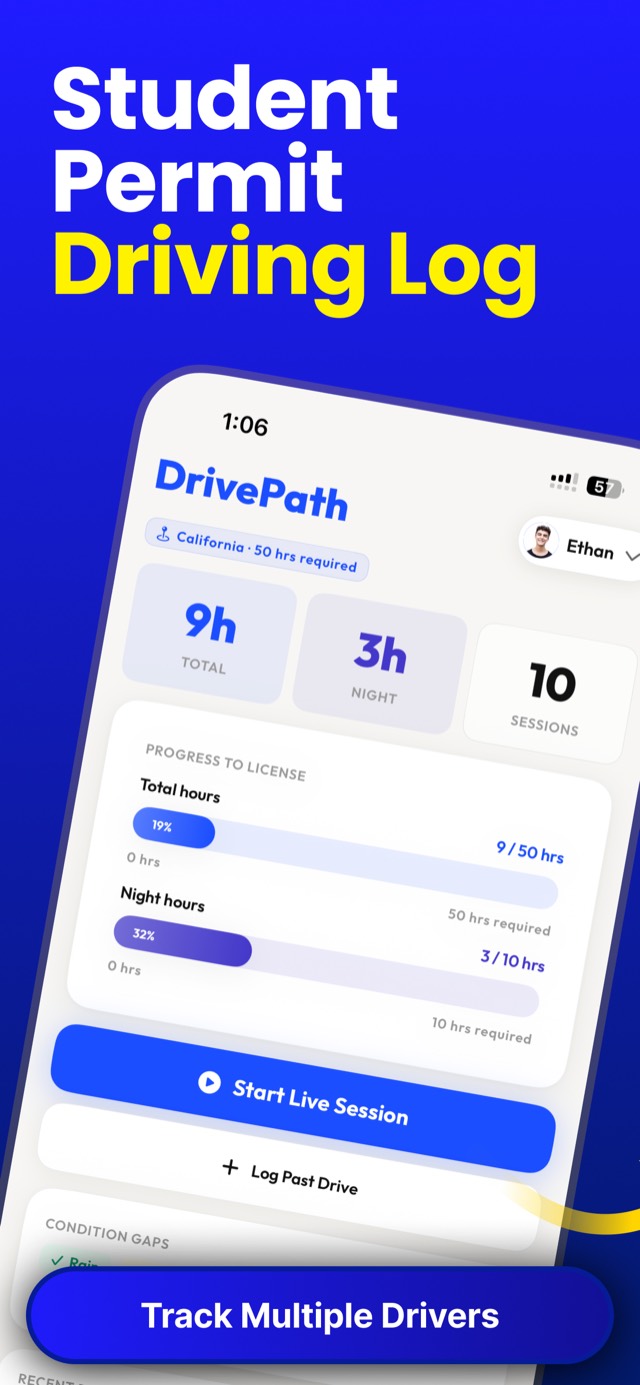
Quick answer: RoadReady — the Safe Roads Alliance app recommended by several state DMVs — is no longer available in its original form. The closest like-for-like replacement is DrivePath: it tracks supervised hours against all 50 states' requirements, supports multiple drivers, exports a DMV-ready PDF, and — critically — imports your existing log as CSV or PDF so the hours you already drove still count.
What happened to RoadReady
RoadReady launched in 2013 and became the default permit-hour logger — over 70 million drives logged, and official recommendations from state agencies like the Massachusetts RMV. But the app is no longer maintained in its original form, leaving families mid-way through their 40 or 50 hours with a log they can't keep building.
If that's you, you need two things: a replacement logger, and a way to not lose the hours you already recorded.
What to look for in a replacement
- Your state's actual requirements — total and night hours, tracked separately, not just a generic timer
- Import — so existing hours carry over instead of restarting at zero
- DMV-ready export — a printable, signable log
- Multiple drivers — RoadReady's multi-teen support was a key feature for families
- Actively maintained — the reason you're switching in the first place
RoadReady vs. DrivePath
| Feature | RoadReady | DrivePath |
|---|---|---|
| State requirement tracking | Yes | Yes — all 50 states, total + night hours |
| Live drive timer | In-app | Live Activity on the lock screen with pause/end |
| Night hours tracked separately | Partial | Yes — dedicated progress bar |
| Condition gap analysis | Road type & weather logging | Yes — flags unpracticed conditions |
| Multiple drivers | Yes | Yes — unlimited |
| Export | Printable log | DMV-ready PDF with signature lines + CSV |
| Import from other apps | No | Yes — CSV and PDF |
| Actively maintained (2026) | No — original app discontinued | Yes |
How to migrate your hours to DrivePath
- Get your old log out. If you still have RoadReady installed, export or screenshot your drive history. If you only have a printed or emailed log, that works too.
- Download DrivePath free and pick your state — your total and night-hour targets load automatically.
- Import your log. DrivePath accepts CSV and PDF imports and merges the drives into your history. If your old record is paper-only, batch-add drives with Log Past Drive — date, duration, supervisor, and conditions for each.
- Verify the totals. Your dashboard should now show the imported hours against your state requirement — the same place you left off, minus the abandoned app.
- Keep driving. Use the live timer for every new practice session, and export the final DMV-ready PDF when the bars fill.
Switching from a paper log or spreadsheet instead? Same process — CSV import handles spreadsheets directly, and manual entry covers glovebox sheets. No logged hour gets left behind.
Your hours still count. Keep counting them.
Import your old log, pick your state, and finish what you started — free on the App Store.
Download DrivePath Free